How to Measure ChatGPT Referral Traffic in GA4
Where AI traffic hides in GA4
GA4 has no "AI" channel. When someone clicks a link in a ChatGPT answer and lands on your site, GA4 files it under plain old referral traffic, with a session source like chatgpt.com. Perplexity, Gemini, and Copilot work the same way. So the traffic is in your reports right now, just scattered and unlabeled, and most teams have never looked.
The sources you're hunting for:
chatgpt.comand the olderchat.openai.comperplexity.aigemini.google.comcopilot.microsoft.comclaude.ai(worth including even if the volume is small)
One big absence: Google AI Overviews. Clicks from AI Overviews arrive as google / organic, identical to a classic search click. There is no way to separate them in GA4, and Search Console doesn't break them out either. Keep that in mind whenever someone claims to have measured their AI Overviews traffic. They haven't. Nobody has.
The regex that catches ChatGPT referrals
One expression covers the lot:
chatgpt\.com|chat\.openai\.com|perplexity\.ai|gemini\.google\.com|copilot\.microsoft\.com|claude\.ai
GA4's "matches regex" filters require a full match on most surfaces (Explorations included), so wrap the pattern in .* on both sides if a filter comes back empty. Copy it somewhere handy; you'll use it in every report below.
A quick sanity check before you trust it: open Reports → Acquisition → Traffic acquisition, search for "chatgpt" in the table's search box, and confirm sessions exist at all. If you see nothing across 90 days, either your site genuinely gets no AI referrals yet or something upstream is stripping referrers, and it's worth knowing which before you build anything fancier.
Build the GA4 exploration step by step
The quickest way to see this traffic is a free-form exploration.
- In GA4, go to Explore and start a blank exploration.
- Import dimensions: Session source, Landing page + query string, and Session source / medium if you like belt and braces.
- Import metrics: Sessions, Engaged sessions, Average engagement time per session, and your Key events.
- Drag Session source into Rows and your metrics into Values.
- Add a filter: Session source → matches regex → paste the expression above.
- Set the date range to the last 90 days, because daily numbers will be lumpy at this volume.
Two minutes of work and you're looking at every AI-referred session GA4 managed to catch, split by assistant.
If you want this in your standard reports permanently, build a custom channel group instead. Admin → Data settings → Channel groups, copy the default group, add a channel called "AI Assistants" with the same regex against session source, and drag it above Referral so it wins the match. Custom channel groups in GA4 apply to your historical data too, which is a rare bit of generosity from Google.
Why your AI traffic numbers undercount, badly
Here's the uncomfortable part, and why click data alone understates AI-influenced conversions. Whatever number GA4 shows you is a floor, not a total, and in practice the gap is large.
The apps are the main culprit. A huge share of ChatGPT usage happens in the mobile and desktop apps, and clicks from apps frequently arrive with no referrer at all. GA4 files those sessions under Direct, where they're indistinguishable from bookmarks and typed URLs. Same story for Gemini inside the Google app.
Then there's copy-paste behavior, which AI answers positively encourage. Someone asks for a recommendation, gets your brand name, and types your domain into the browser an hour later. Direct again. Or they Google your brand name, and your AI-driven discovery shows up as branded organic search. The assistant did the persuading; the last click gets the credit.
Add the AI Overviews blind spot from earlier, plus assorted in-app browsers that mangle referrers, and a reasonable rule of thumb emerges: treat your measured AI referrals as the visible fraction of something meaningfully larger. If Direct traffic and branded search have been drifting up while nothing else explains it, AI assistants are a prime suspect.
One partial fix on the UTM front: you can't tag links you don't write, but OpenAI now tags its own. ChatGPT appends utm_source=chatgpt.com to outbound links, so those clicks land in GA4 with that source even when the referrer gets stripped. Helpful, but don't lean on it alone: it doesn't fire consistently across every surface, and the other assistants haven't followed suit.
What the landing pages tell you
This is the genuinely useful analysis, and almost nobody does it. In your exploration, swap Session source out of Rows and put Landing page + query string in. Keep the AI filter on.
Now you're looking at the exact pages AI assistants send people to, which is a proxy for the pages they cite. The pattern is almost never what teams expect. Homepages barely feature. What shows up: comparison posts, pricing pages, documentation, and oddly specific blog articles.
A pattern I've seen more than once: a SaaS checks this report and finds that around 80% of their ChatGPT referrals land on one three-year-old comparison post nobody had touched since publication. That page had quietly become their front door for AI traffic. The obvious moves follow from the data. Update that page first, check what it says about pricing and features, and build more pages in the same shape, because the shape is evidently what gets cited.
Check engagement on these sessions too. AI-referred visitors tend to arrive pre-qualified; the assistant already matched them to you. If their engaged-session rate beats your site average, that's your argument for taking this channel seriously despite the small absolute numbers. If it doesn't, look hard at whether the cited pages promise something your site doesn't deliver.
Run this monthly, not daily. The volumes are still small enough that a single weird Tuesday can distort a chart, and the trend across months is what actually tells you whether your AI visibility work is landing, the same trend-over-snapshot logic our scoring methodology is built on. If you'd rather not build the exploration by hand, the AI referral check sets up the same view in a couple of clicks and flags the sources you might have missed.
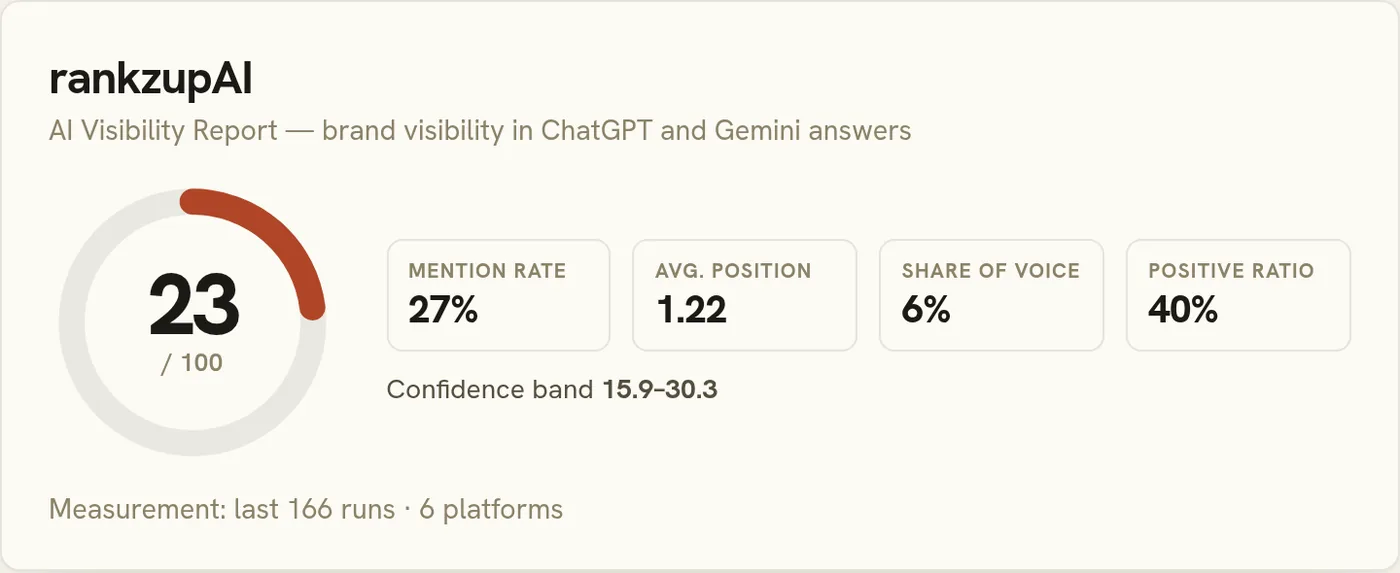
This is one of eight metrics in the complete AI visibility measurement playbook.