What Is Prompt Tracking?
What is prompt tracking?
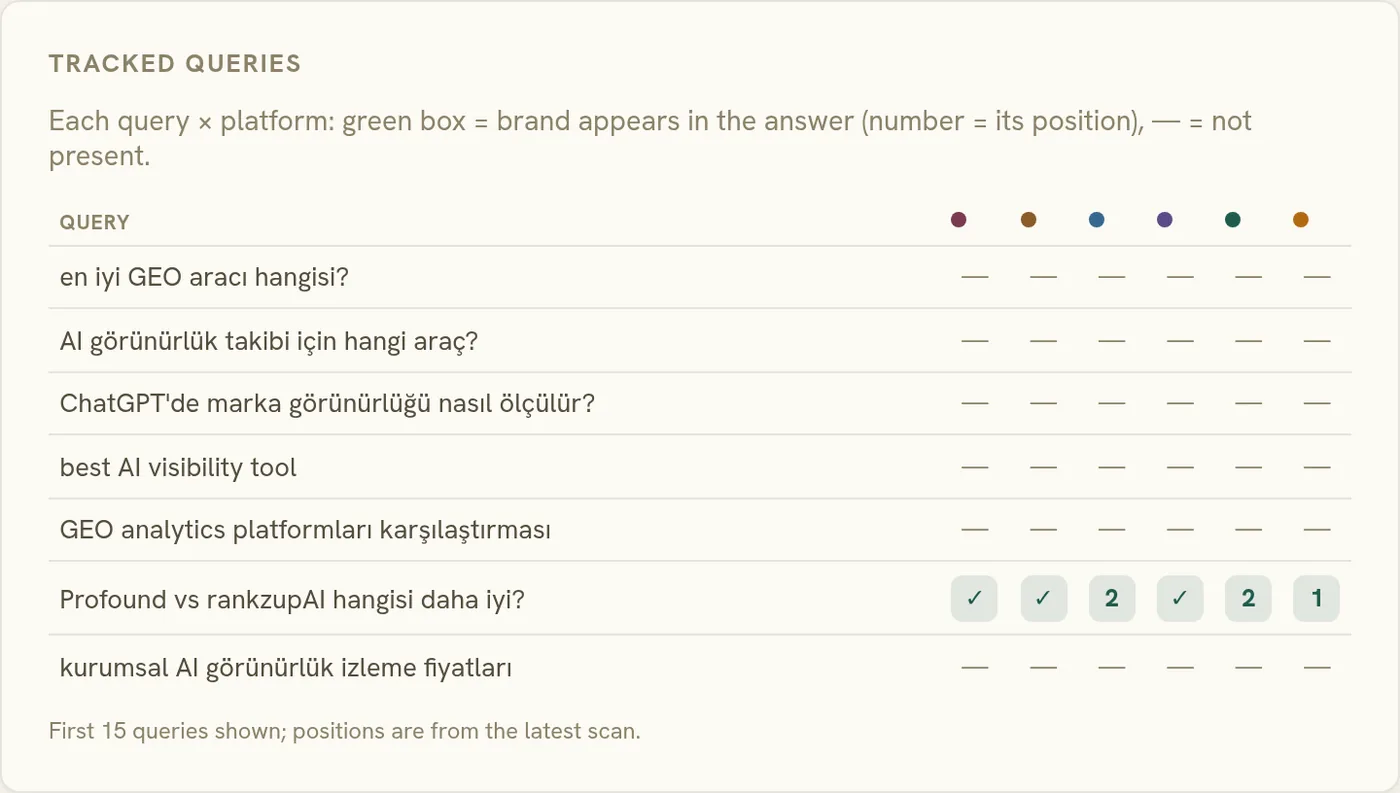
Prompt tracking is monitoring a fixed set of questions (the ones your buyers actually ask AI) and recording how your brand shows up in the answers over time. Not one lucky screenshot. The same prompts, run on a schedule, so you see the trend instead of a single moment.
Why one check isn't enough
Because AI answers are stochastic. Ask the same question twice and you can get different brands, in a different order, with different framing. A single check tells you almost nothing: it might be your best day or your worst. Prompt tracking turns that noise into signal by sampling the same questions repeatedly and reading the pattern rather than the snapshot.
What makes a good tracked prompt
A good prompt mirrors real buyer language: "best project tool for a small agency," not "project software." It's specific enough to trigger a recommendation, and it covers the questions where a mention would actually move a sale. Getting that set right is half the battle; we walk through it in how to design a prompt set.
Prompt tracking vs. rank tracking
Classic rank tracking watches your position for a keyword on a results page. Prompt tracking watches whether (and how) you're named in an answer, across engines, for a question. Same instinct, different medium: one counts blue-link positions, the other reads recommendations. If you want it automated across ChatGPT, Gemini, Perplexity and Google AI Overviews, that's what an AI rank tracker does.
How many prompts should you track?
Fewer than most teams expect. Fifteen to forty well-chosen questions beat a hundred generic ones, because every prompt multiplies scan cost across engines and runs. The working split that holds up in practice: mostly brand-free category questions (where buying decisions happen), a few branded ones (reputation watch), and one or two competitor-framed ones ("X vs Y"). Grow the set only when a new question earns its place: a product launch, a new market, a rival that keeps appearing.
How prompt tracking works across engines
The same prompt behaves differently per engine, and that difference is half the value of tracking. A question that returns you first on Gemini can skip you entirely on ChatGPT, because each engine reads a different source pool. Tracking the same set everywhere turns "how do we look in AI?" into a per-engine answer: strong on Google surfaces, invisible on Perplexity, framed oddly on Claude. The fix differs per engine too, which is why the competitor comparison and source analysis views split by engine as well.
How often should you scan?
Weekly is the honest default: frequent enough to catch source-driven shifts, cheap enough to sustain across engines. Daily scanning mostly buys noise: answers wobble run to run, and a confidence band needs a window, not a firehose. Two exceptions justify tightening the cadence: an active repair you want to watch land (a sentiment fix or a hallucination correction) and a launch window where the category conversation is moving. Slower than monthly, and the trend line stops being a trend.
Prompt tracking mistakes worth avoiding
- Tracking keywords instead of questions. Engines answer questions; "crm software" is not what anyone types into ChatGPT.
- Editing prompts mid-stream. Change the wording and the history restarts. Treat the set like an experiment protocol, versioned and stable.
- Reading single runs. One answer is an anecdote; the confidence band exists because thirty runs tell a different story than one.
For the craft of building the set itself, designing a prompt set worth tracking goes step by step.