rankzupAI MCP: Bring AI Visibility Data Into Claude Code
What MCP is, in one paragraph
MCP is short for Model Context Protocol. It is an open standard that lets AI assistants call external tools and pull in live data through a single consistent interface. Instead of copying numbers out of a dashboard into a chat, you connect a tool once and the assistant queries it directly, mid-conversation. rankzupAI ships an MCP server so agents like Claude Code and Cursor, and automation runners like n8n, can read your AI-visibility data without you leaving the workflow.
What you can do with rankzupAI's MCP server
The server is deliberately read-only: it exposes your visibility data, nothing that changes your account. It offers three tools:
list_projectsreturns every project on your account with its id, name, brand, and domain. It takes no arguments; it's how an agent discovers what it can query.get_visibilitytakes aproject_idand returns the latest snapshot: the overall visibility score, its confidence band, per-platform scores, mention rate, and share of voice. This is the tool you'll call most.list_promptstakes aproject_idand returns the tracked queries for that project, each with its per-platform mention status and best position from the latest scan.
Because these are structured tool calls, an agent can chain them. List projects. Pick one. Pull its visibility. Then read the prompt-level detail, all in a single conversation with no dashboard round-trip.
Setup
The server speaks HTTP and authenticates with your existing rankzupAI API key, the same rz_... key the REST API uses. MCP access is available on the Scale and Agency plans.
The connection config is the same everywhere:
{
  "type": "http",
  "url": "https://api.rankzup.ai/mcp",
  "headers": { "Authorization": "Bearer rz_..." }
}
Claude Code: add the server to your MCP config with the URL and Authorization header above, then ask Claude things like "list my rankzupAI projects" or "what's the visibility score for project 4, and is the band tight?"
Cursor: add the same HTTP MCP entry in your MCP settings; the tools appear to the assistant automatically and it can call them while you work.
n8n: use an MCP/HTTP node pointed at the same URL with the Bearer header, and pull visibility snapshots into a scheduled workflow. Post a weekly score-and-band summary to Slack, say, or open a ticket when a project's mention rate drops.
Whatever the client, the shape is identical: one URL, one Bearer key, three read-only tools.
A quick example
Say you're in Claude Code after shipping a new comparison page. You can just ask: "Using rankzupAI, list my projects, then show the visibility score and confidence band for the main one." The agent calls list_projects and sees your project ids. Then it calls get_visibility with the right project_id and answers in plain language: "Overall 64, band 60-68, strongest on Perplexity, weakest on Google AI Overviews." Want to go deeper? "Show me which tracked prompts we're missing on ChatGPT" triggers list_prompts and filters the ones where your mention status is negative. None of that required opening a browser tab.
Who this is for
This is for people who already live in an agent or an automation tool and don't want to context-switch to a dashboard. A few concrete cases:
- A developer using Claude Code or Cursor who wants to check whether a content change moved the needle without leaving the editor.
- An agency running client reporting through n8n or a similar runner, pulling weekly visibility snapshots into a recurring report automatically.
- Anyone building an internal assistant that should answer "how are we doing in AI answers this week?" from live data instead of a stale export.
If that's not you, if you just want to look at your scores, the dashboard is the simpler path and the MCP server adds nothing you need. But if your work already runs through an agent, connecting the data directly is the difference between reading a report and asking a question.
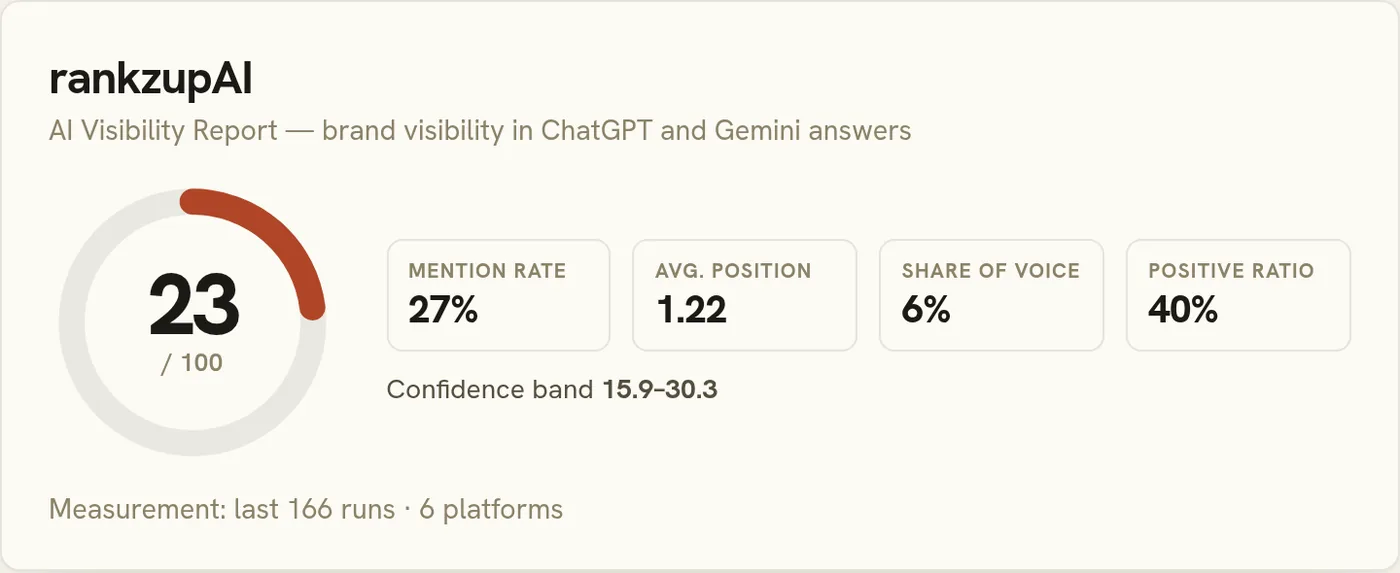
For the measurement behind these numbers (how the score and confidence band are built), see our methodology; for the strategy the data serves, read what generative engine optimization actually is.